Hi All,
I saw these in the General Activity lists the other day, so I quickly jumped onto the Microsoft documentation, and found there wasn’t much about how to use these.
So, I’ll outline a short example, along with a link to the ARM template to deploy into your own Data Factory.
From what I can tell, there is a new tab in the Pipeline, called Variables, and two new activities – Set Variable, and Append Variable.
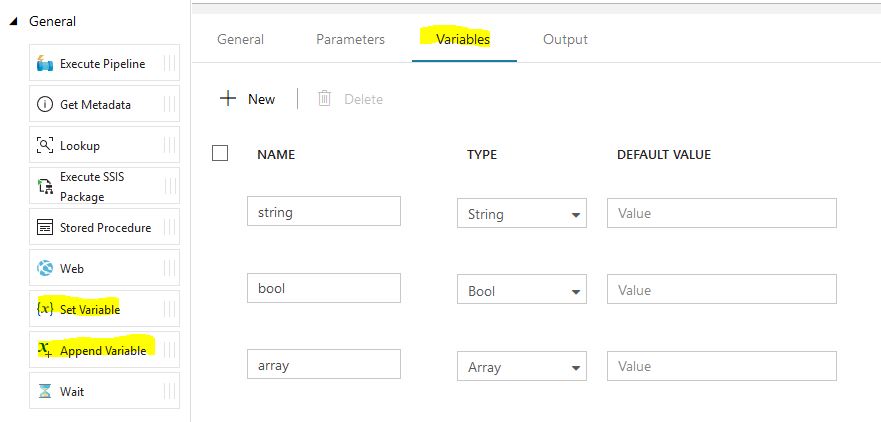
There is 3 types of variables we can use. Strings, Boolean and Arrays.
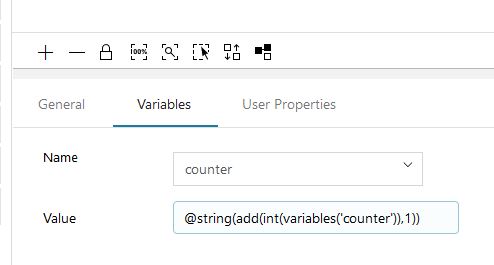
So after a little playing around, I found the first challenge. A variable cannot set itself based on its current value (note: this is as of 2018-10-22, so it may be fixed soon).
For example
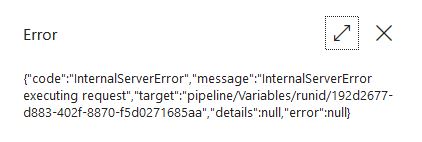
Error message when we try to debug.
This is a little annoying as a great use case for these is a counter, but it’s easy enough to work around by creating a temporary counter.
tempCounter = counter + 1 , and then counter = tempCounter
Everything else worked as expected. There is a requirement to do conversions from string to integer for mathematical functions, as shown in my examples.
A short animation of my pipeline (ARM template for this linked below)
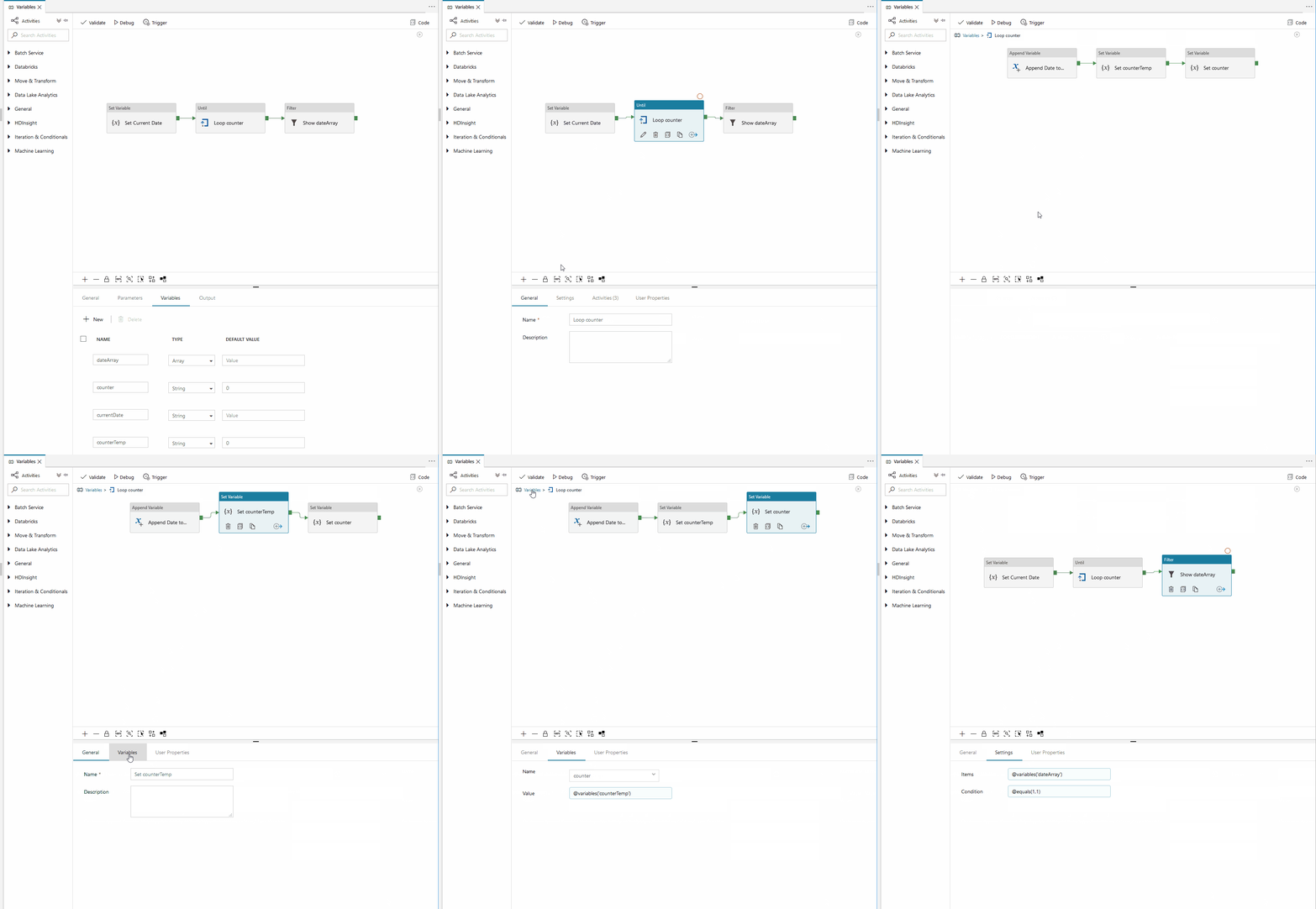
ARM Template for this Pipeline is here.
Thank you for taking the time to read this. Do let me know if you find this useful.
Please feel free to give me feedback or ask if there is any specific use cases you are struggling with.